Productivity Tools

ScanNow!

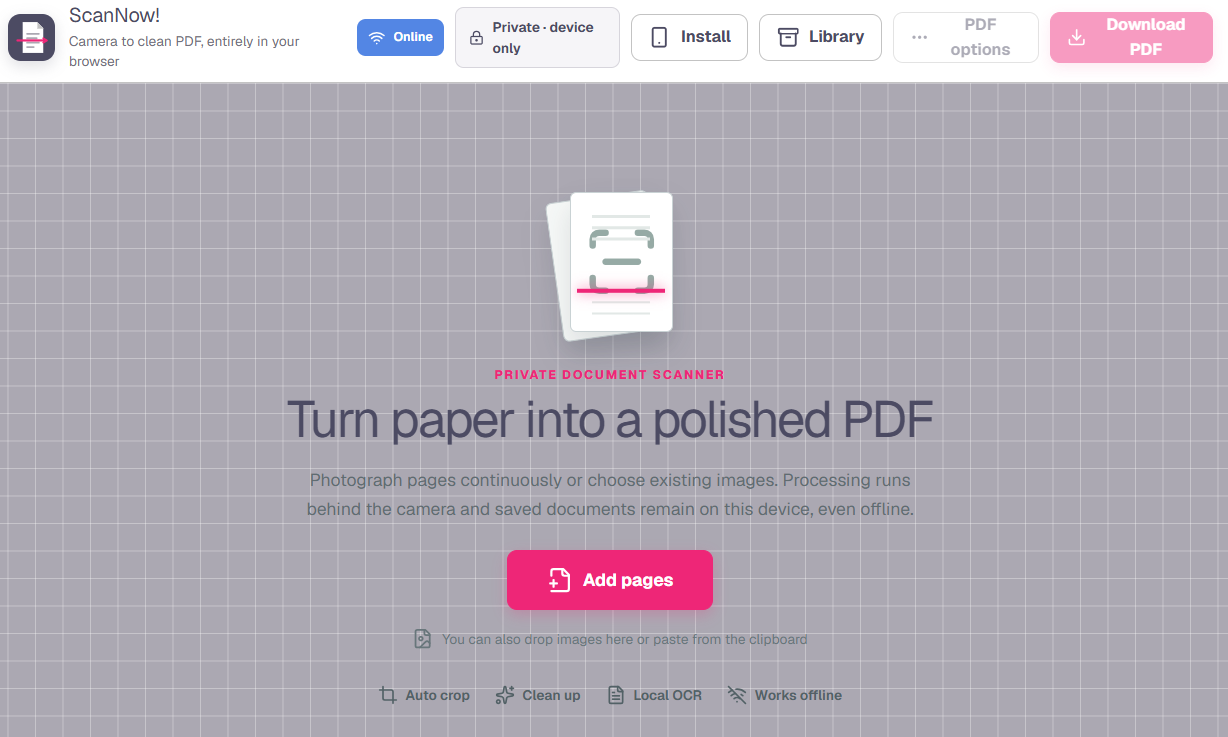
Using your phone, turn a printed document you want to save to PDF. Works locally and offline.

Preview of ScanNow!
scanner.fairway3games.comBrowser project

About this project

What it does

ScanNow! converts camera photos or uploaded images into a clean, multipage PDF without sending documents to a server. It detects page edges, corrects perspective, crops, deskews, and processes each page in the browser, with continuous capture and worker-based image handling for larger jobs.

Pages can be reordered and tuned with rotation, mirroring, brightness, contrast, color, or black-and-white controls. Optional OCR makes the exported Letter- or A4-sized PDF searchable, and offline storage lets the progressive web app keep working when there is no connection.

What you can do

  • Capture pages continuously with a camera or import existing images
  • Detect edges and correct crop, perspective, and skew
  • Reorder, rotate, mirror, and adjust individual pages
  • Run on-device OCR and create searchable PDFs
  • Choose Letter or A4 output and continue working offline
Category
Productivity Tools
Format
Browser-based
Access
Free to use
Best for
Anyone who needs a private, installable document scanner without uploading sensitive pages to a cloud service.
Topics
Productivity · PDF · Mobile
Launch
scanner.fairway3games.com ↗